By John Pringle
In our original test, we upgraded a system from SAP S/4HANA 1610 to SAP S/4HANA 1709 and one of the interesting things that we found was that SAP recommends that the switch for activating profit center accounting (PCA) should be activated. At the time of the test, I had not found an explanation in the 1709 Simplification List or online searches.
Since release ECC 5.0 clients using the new general ledger with the profit center or segment scenarios active were warned against activation of classic PCA. With the new GL scenarios profit center functionality was incorporated in the GL and the old profit center ledger 8A was not activated. In this case the classic reports in the information system for PCA would not return any results if they were executed.
Release context: This article preserves John Pringle’s SAP S/4HANA 1709 test-system observations. PCA activation in the controlling area and updates to classic EC-PCA ledger 8A are separate settings. The screenshots and message changes below document that test; they are not a general instruction to enable classic ledger updates or suppress messages in every S/4HANA system.
SAP reference: SAP KBA 2717155: Activation of Profit Center Forced After Upgrade identifies the post-upgrade symptom and includes FINS_ACDOC_CUST415 among its keywords. The full resolution requires SAP sign-in; review it for your release and support package.
Classic PCA Reports Before the Upgrade
For example, the old profit center line item report KE5Z when run in our 1610 system gives no results (Figure 1).

Also, any of the old report painter based reports also return no data as they are reading from libraries based on the 8A ledger.
For example, report S_ALR_87013326 - Profit Center Group: Plan/Actual/Variance would return the result in Figure 2:
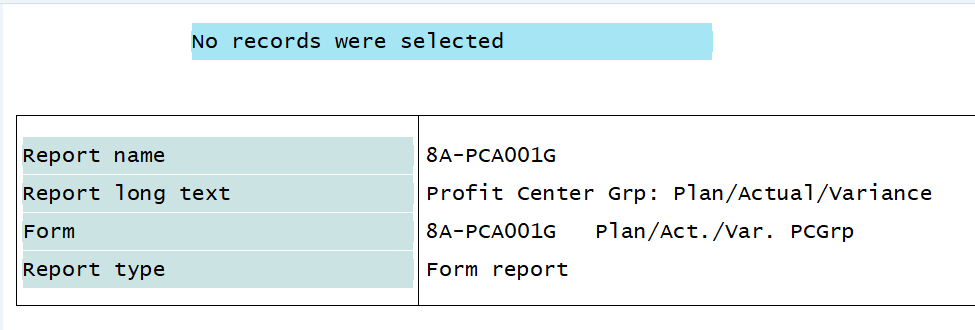
This is expected behaviour since PCA is not active in the Controlling Area.
Message FINS_ACDOC_CUST415
After our upgrade we were testing plant maintenance orders and started getting errors on cost calculation related to profit center accounting (Figure 3).
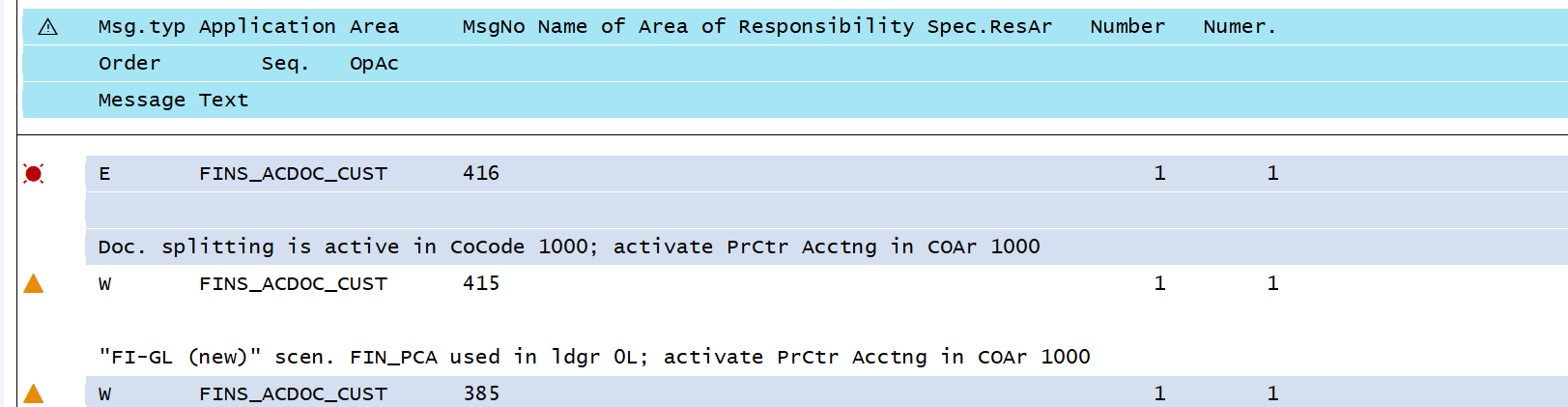
The 415 message states
"FI-GL (new)" scen. FIN_PCA used in ldgr 0L; activate PrCtr Acctng in COAr 1000
Message no. FINS_ACDOC_CUST415
Diagnosis
The FI-GL (new) scenario FIN_PCA is assigned to ledger 0L in table FINSC_LEDGER_SCEN.
System Response
A consequence of these table entries is that the system regards Profit Center Accounting as active.
The FI-GL (new) scenarios are obsolete: In S/4HANA there is no IMG activity available for maintaining scenarios. However, the system still evaluates these obsolete Customizing settings. In order to make it transparent for users that Profit Center Accounting is active, please activate Profit Center Accounting:
Procedure
For controlling area 1000, activate Profit Center Accounting in the fiscal-year dependent settings of the controlling area.
Because the FI-GL (new) scenarios were neither time-dependent nor fiscal year-dependent, please activate Profit Center Accounting for all fiscal years.
Note that activating Profit Center Accounting does not automatically activate the "old" profit center ledger 8A. Activating profit center ledger 8A is not mandatory.
PCA Activation in 0KE5
This seems to indicate that we should now activate profit center accounting in conjunction with using the New GL scenarios. The first link from the message takes you to 0KE5 where I activated PCA in the controlling area (Figure 4) it seems that the check box for PCA activation has been removed from the control indicators in OKKP.

Classic Ledger 8A Updates
After this change we are able to cost and release the PM order. Now when we make postings we are generating an additional document (Figure 5).
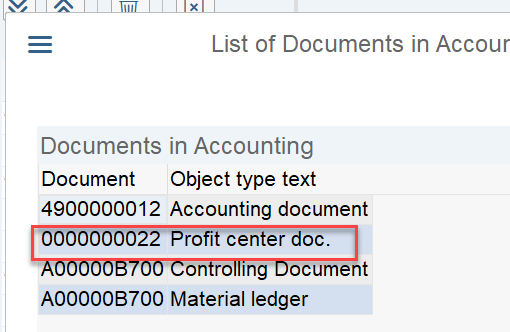
This one occurred on the MIGO to the order but we also got one on settlement as well.
Out of curiosity I ran the old profit center line reports and information system reports, as shown in Figure 6:
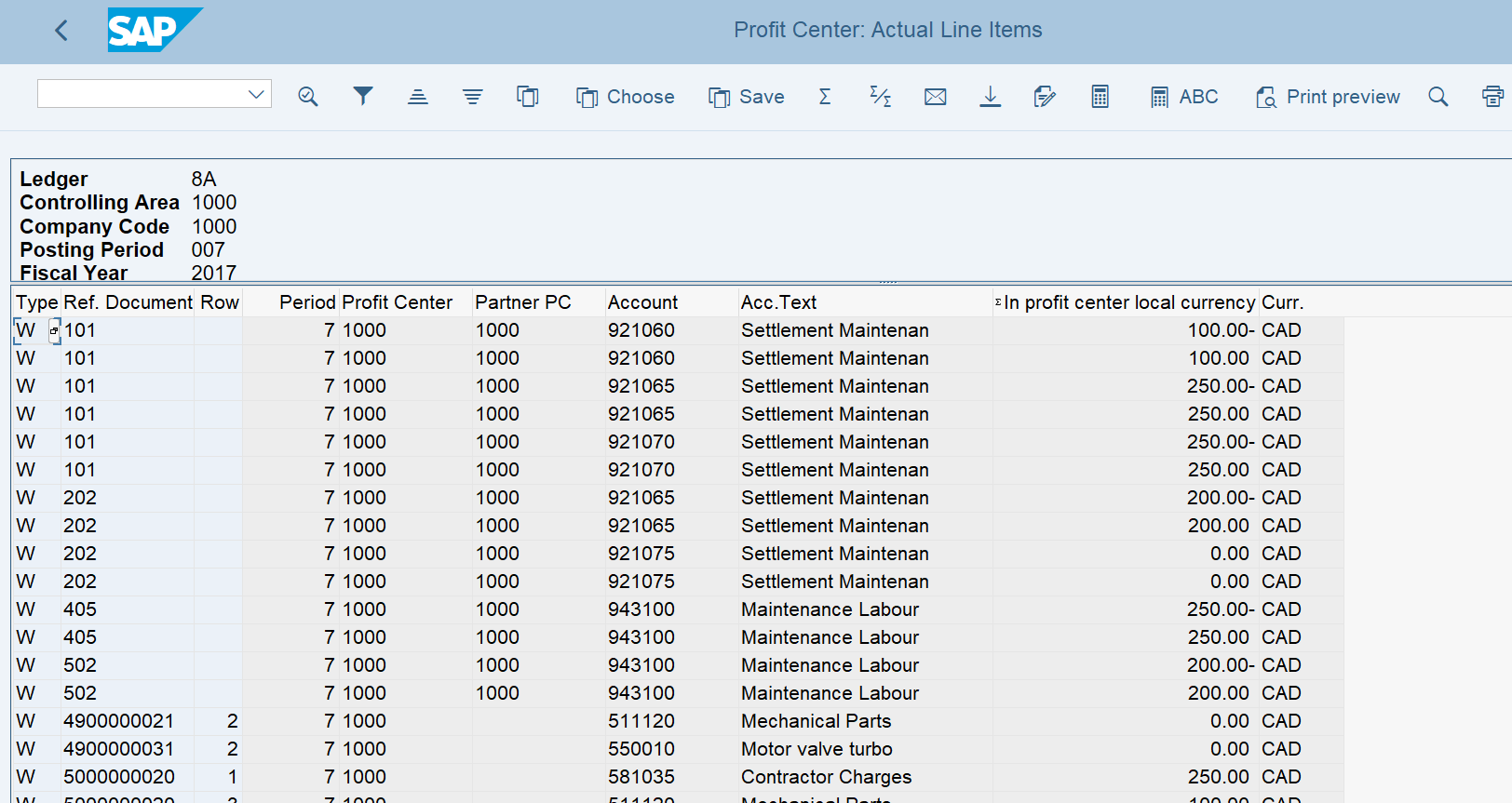
The report is stating ledger 8A and the fields are referencing table GLPCA which also shows ledger 8A.
The other report painter reports also work and return values.
Reviewing Update Settings in 1KEF
I was confused by this so went back to the message and followed the link for Activating profit center ledger 8A is not mandatory. This takes us to 1KEF where I believe the idea is to deactivate updates to PCA (Figure 7).

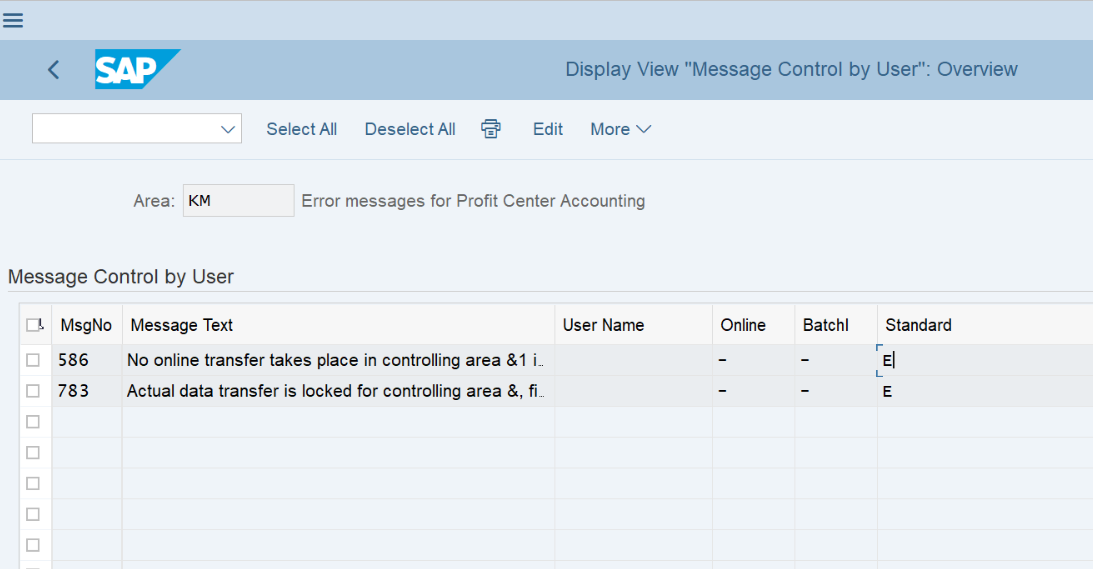
In this test system, I also changed the following error-message settings, as shown in Figure 8:
ERPCorp update note: Evaluate the exact message, underlying configuration, and current SAP guidance before changing message control. Preserve required consistency checks and test the posting result against the intended accounting design.
Test Result and Further Reading
With the final settings in this test, processing the transactions generated no classic PCA documents and no ledger 8A updates.
The original test therefore distinguished the PCA activation setting from the separate classic ledger update. At the time of writing, I was still seeking documentation explaining the change. ERPCorp has since added SAP KBA 2717155 above as a reference for the upgrade symptom.
For the later ledger-based parallel-valuation architecture, see SAP Universal Parallel Accounting: Inventory Accounting and Product Costing. Profit center valuation in that architecture is a different design topic from the classic PCA activation issue described here.
- SAP KBA 2717155: Activation of Profit Center Forced After Upgrade (full resolution requires SAP sign-in).
- SAP Help: Profit Center Update — profit center assignment in General Ledger Accounting.
Need Help with SAP Profit Center Reporting?
ERPCorp helps finance teams review SAP Finance and Controlling configuration, account assignments, reporting, and upgrade requirements. Discuss your profit center reporting and reconciliation needs with our consulting team.
Continue Learning SAP Finance and Controlling
Explore practical sessions at the next SAP Controlling Conference, or see ERPCorp membership for conference recordings and learning resources.